在Spring中使用嵌入式数据库-H2
- Spring3以后开始支持嵌入式数据库,嵌入式数据库目前在市面上有好多种,HSQL,DERBY,H2…今天就主要讲一下h2的使用
对于一个数据库产品来说,主要就是如何存储数据和读取数据了。所谓嵌入式就是直接运行在项目中,不需要安装额外的产品。说白了就是一个jar包,可以随项目启动和结束而结束,它主要有以下特点:
优点:
- 小而简,但是可以存储的数据还是很大,大概有512G左右;
- 不用多余的安装,用来做测试和一些小工具最好不过了
- 一些常见的关系型数据库,如mysql的大多数功能它全都支持,如事务,搭建集群等
- 它是由Java开发的jar包,所以和其他的Jar应用一样,高可移植性
缺点:
这的运行方式主要有两种:
- 和MySql很相似的服务器模式,运行起来后,可以连接多个实例,下载地址http://www.h2database.com/html/main.html
- 使用内嵌入到应用程序中,因为它是一个jar包,所以放应用程序中就可以了,但是它只能连接一个实例,也就是只能在当前应用程序中连接,不能在其他应用中操作(主要讲解这种模式)
接下来我们就使用SpringJdbc连接数据库进行操作,当然其他orm框架也可以,使用SpringJdbc是为了简化代码
运行环境:
JDK1.8 Spring4以上
- maven引入依赖(当然Spring相关的依赖是必须,)
1
2
3
4
5
6
7
8
9
10
11
12
13
14
15
16
17
18
19
20
21
22
23
24
25
26
| <dependency>
<groupId>com.h2database</groupId>
<artifactId>h2</artifactId>
<version>1.3.172</version>
</dependency>
<dependency>
<groupId>org.springframework</groupId>
<artifactId>spring-core</artifactId>
<version>5.1.10.RELEASE</version>
</dependency>
<dependency>
<groupId>org.springframework</groupId>
<artifactId>spring-beans</artifactId>
<version>5.1.10.RELEASE</version>
</dependency>
<dependency>
<groupId>org.springframework</groupId>
<artifactId>spring-context</artifactId>
<version>5.1.10.RELEASE</version>
</dependency>
<dependency>
<groupId>org.springframework</groupId>
<artifactId>spring-jdbc</artifactId>
<version>5.1.10.RELEASE</version>
</dependency>
|
1
2
3
4
5
6
7
8
9
10
11
12
13
14
15
16
17
18
19
| <?xml version="1.0" encoding="UTF-8"?>
<beans xmlns="http://www.springframework.org/schema/beans"
xmlns:xsi="http://www.w3.org/2001/XMLSchema-instance" xmlns:jdbc="http://www.springframework.org/schema/jdbc"
xsi:schemaLocation="http://www.springframework.org/schema/beans http://www.springframework.org/schema/beans/spring-beans.xsd http://www.springframework.org/schema/jdbc http://www.springframework.org/schema/jdbc/spring-jdbc.xsd">
<jdbc:embedded-database id="dataSource" type="H2">
<jdbc:script location="classpath:sql/h2-schema.sql"/>
<jdbc:script location="classpath:sql/h2-data.sql" encoding="UTF-8"/>
</jdbc:embedded-database>
<bean class="org.springframework.jdbc.core.JdbcTemplate" id="jdbcTemplate">
<property name="dataSource" ref="dataSource"/>
</bean>
</beans>
|
- 注意这里的这两个sql,一个是用来初始化数据库,另一个就是用来添加数据,一定要注意顺序,当然,写在一个sql文件中也可以
1
2
3
4
5
6
7
8
9
| -- h2-schame.sql
drop table if exists teacher ;
-- 创建表
create table teacher(
id int primary key auto_increment,
name varchar(20),
age int
);
|
1
2
3
| -- 插入表数据 h2-data.sql
insert into teacher(name,age) values('张老师',23);
insert into teacher(name,age) values('李老师',24);
|
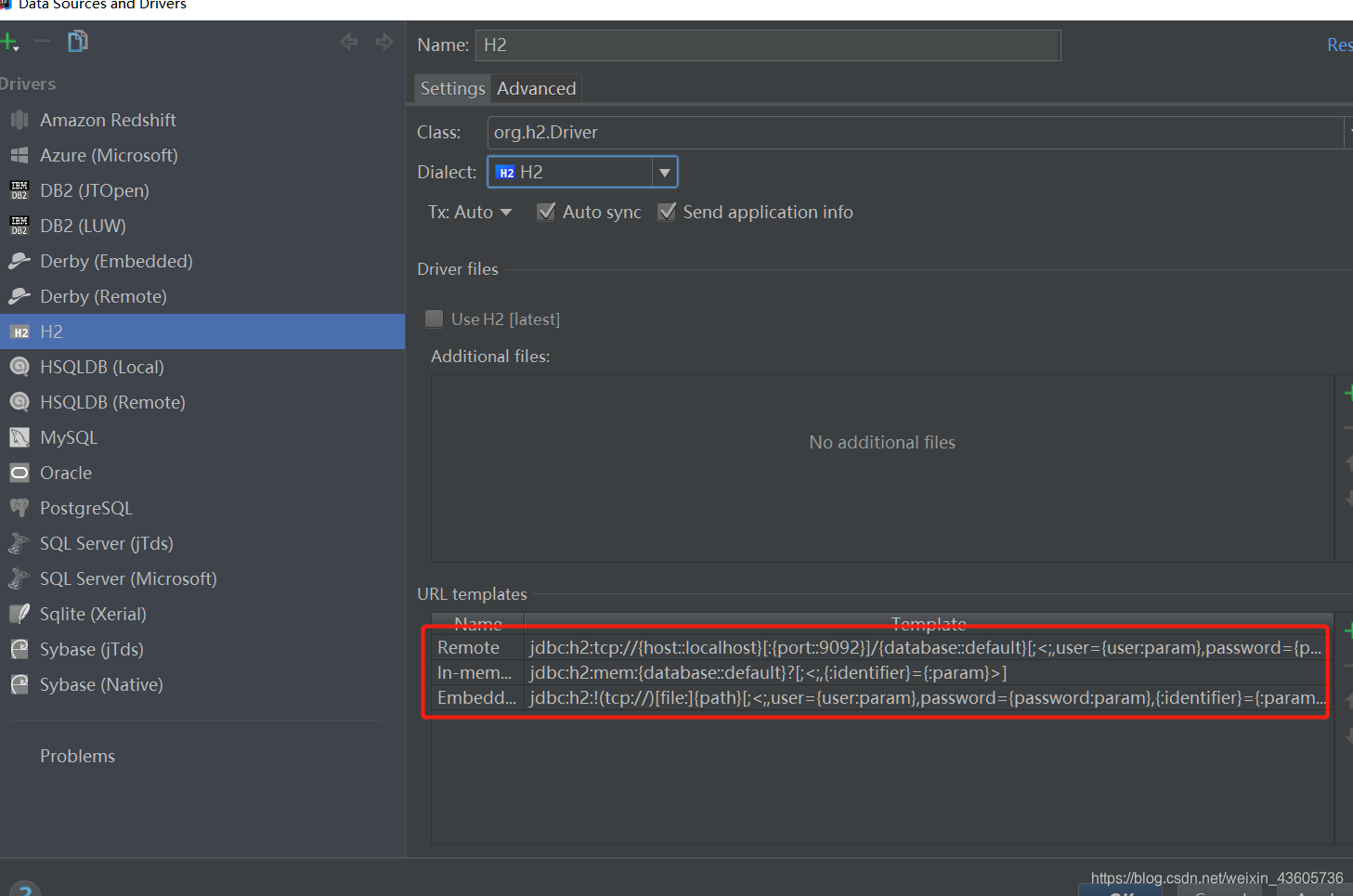
这里的datasource是通过jdbc命名空间定义的,因为我们选择模式是内嵌式运行。一个最简单的事情要明白,只有在这个应用运行中,才会访问到数据库,其他时间是不能使用外部工具连接的,比如idea的datasource工具
1
2
3
4
5
6
7
| public class Teacher {
private int id;
private String name;
private int age;
}
|
1
2
3
4
5
6
7
8
9
10
11
12
13
14
15
16
17
18
19
20
21
| public static void main(String[] args) {
ApplicationContext context = new ClassPathXmlApplicationContext("classpath:application.xml");
JdbcTemplate jdbcTemplate = context.getBean("jdbcTemplate", JdbcTemplate.class);
String selectSql = "select * from teacher";
List query = jdbcTemplate.query(selectSql, new RowMapper() {
@Nullable
@Override
public Object mapRow(ResultSet resultSet, int i) throws SQLException {
Teacher teacher = new Teacher();
teacher.setId(resultSet.getInt(1));
teacher.setName(resultSet.getString(2));
teacher.setAge(resultSet.getInt(3));
return teacher;
}
});
query.forEach(o -> System.out.println(o));
}
|
以下就是运行结果,当然你能看到一些关于这个datasource的信息

我们给程序一个不退出的代码,让它一直运行(如果是一个web应用,只要启动,就会一直运行),使用idea连接一下这个数据库
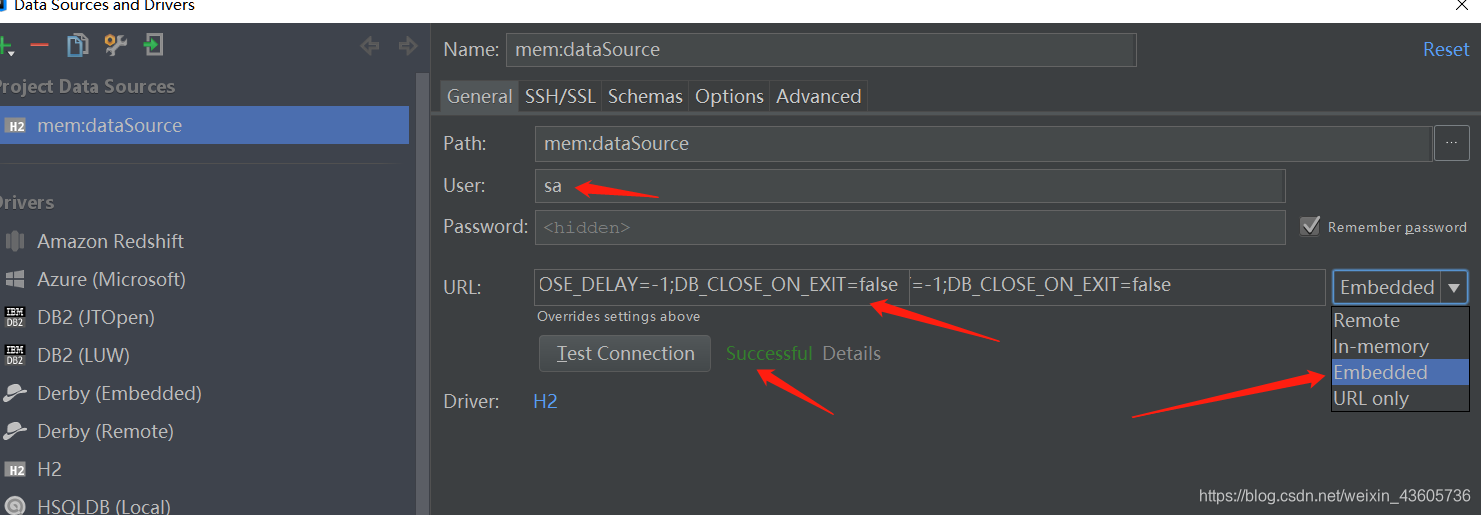
但是你通过这个工具是不能看见teahcer表的,同样,你通过这个工具添加的表和数据也不会使用程序取到的,因为它本身就是连接实例之间是分开的,这样做是很安全的。
如果是使用SpringBoot的话:
运行环境:SpirngBoot SpringJdbc
这里并不创建一个新的SpringBoot项目,而是使用Java注解的方式来注册bean(在SpirngBoot的环境就可以这样用)
1
2
3
4
5
6
7
8
9
10
11
12
13
14
15
16
17
18
19
20
21
22
23
24
25
26
27
28
29
30
31
32
33
34
| package cn.lyn4ever.bean;
import org.springframework.context.annotation.Bean;
import org.springframework.context.annotation.Configuration;
import org.springframework.jdbc.core.JdbcTemplate;
import org.springframework.jdbc.datasource.embedded.EmbeddedDatabaseBuilder;
import org.springframework.jdbc.datasource.embedded.EmbeddedDatabaseType;
import javax.sql.DataSource;
@Configuration
public class BeanConfig {
@Bean
public DataSource dataSource() {
try {
EmbeddedDatabaseBuilder dbBuilder = new EmbeddedDatabaseBuilder();
return dbBuilder.setType(EmbeddedDatabaseType.H2)
.addScripts("classpath:sql/h2-schema.sql", "classpath:sql/h2-data.sql")
.build();
} catch (Exception e) {
System.out.println("创建数据库连接失败");
return null;
}
}
@Bean
public JdbcTemplate jdbcTemplate(){
JdbcTemplate jdbcTemplate = new JdbcTemplate();
jdbcTemplate.setDataSource(dataSource());
return jdbcTemplate;
}
}
|
1
2
3
4
5
6
7
8
9
10
11
12
13
14
15
16
17
18
19
20
21
22
| public static void main(String[] args) {
ApplicationContext context = new AnnotationConfigApplicationContext(BeanConfig.class);
JdbcTemplate jdbcTemplate = context.getBean("jdbcTemplate", JdbcTemplate.class);
String selectSql = "select * from teacher";
List query = jdbcTemplate.query(selectSql, new RowMapper() {
@Nullable
@Override
public Object mapRow(ResultSet resultSet, int i) throws SQLException {
Teacher teacher = new Teacher();
teacher.setId(resultSet.getInt(1));
teacher.setName(resultSet.getString(2));
teacher.setAge(resultSet.getInt(3));
return teacher;
}
});
query.forEach(o -> System.out.println(o));
}
|
Spring系列学习笔记